
What starts each campaign
Each campaign type has its own way of bringing someone in:
Inbound and confirmation campaigns use their phone number or appointment calendar
instead of tags. An inbound campaign is waiting on a phone number, not a tag.
An outbound or inbound agent’s booking calendar belongs to its Appointment
Booking capability; it does not enrol people into the campaign. The rest of this
page is about outbound entry.
Tags are just labels
A tag is a sticky label on a person. “New lead.” “Do not call.” “Already booked.” Your contacts pick up these labels as they move through your system. A campaign watches for two kinds of tag: the ones that put someone on the call list, and the ones that take someone off.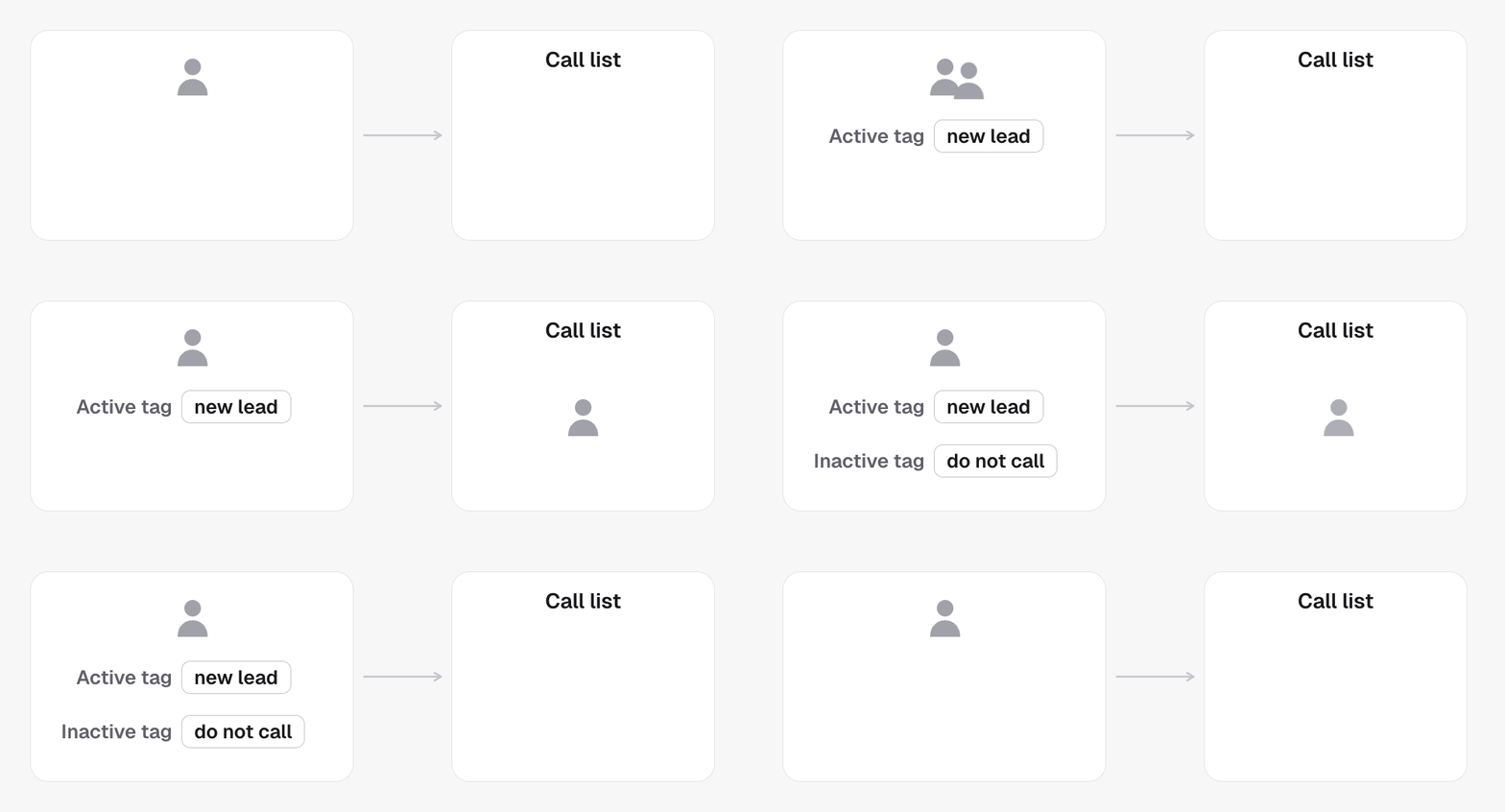
The tag that opens the door
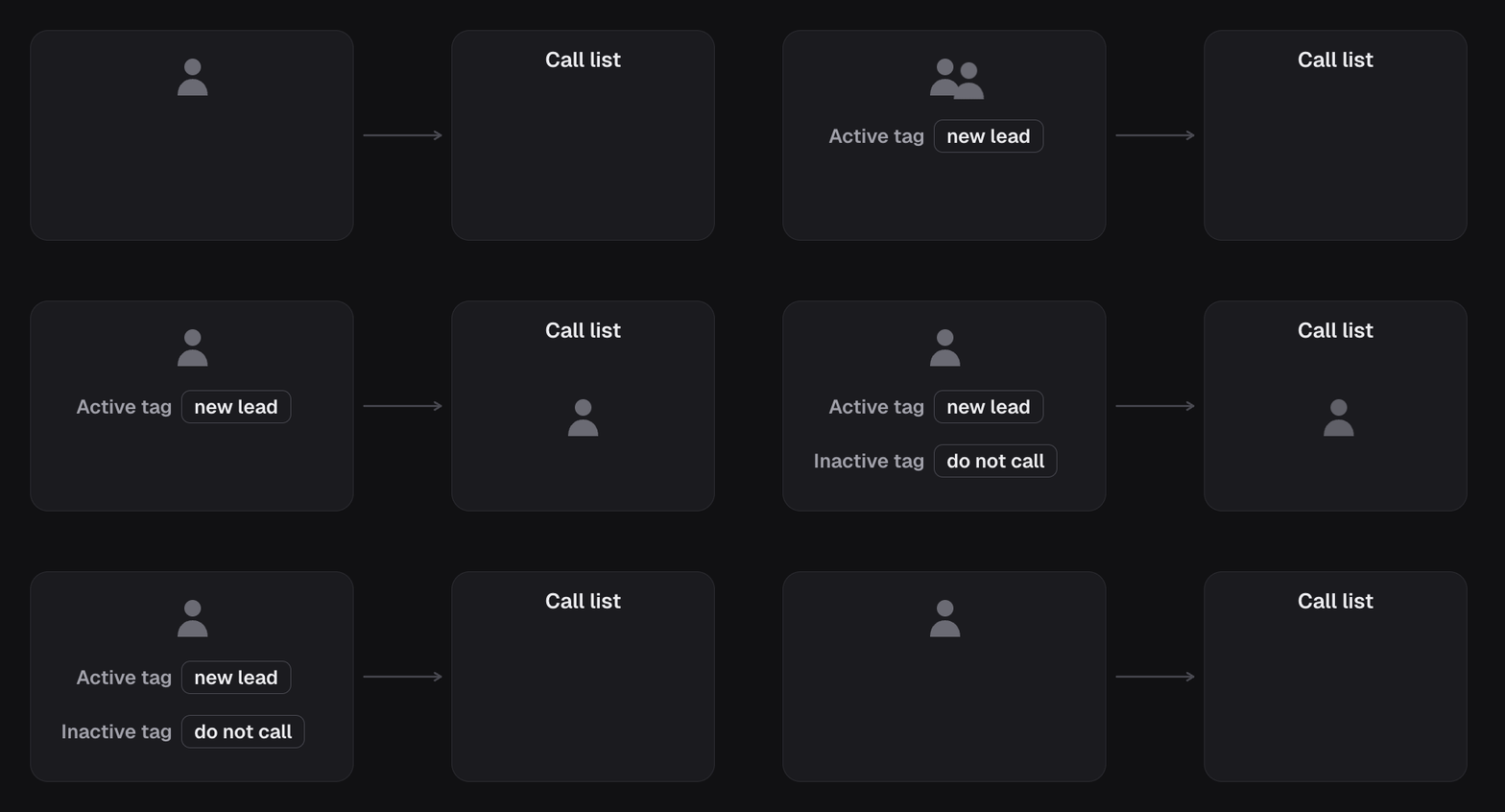
You tell the campaign which label means “start calling this person.” The moment a contact gets that label, they join the list. The dashboard calls these Active tags (all required): if you set more than one, a contact needs every one of them. For example, set the campaign’s entry tag to new lead. Now anyone who gets tagged “new lead” starts getting calls. This is the switch that turns a contact into someone the campaign will dial.The tag that closes the door
You also tell the campaign which labels mean “stop calling this person.” The moment a contact gets one of those, they come off the list. The obvious one is an opt-out label like do not call. But you can use any label that means “we’re done here,” like already booked.How a person moves through
Put together, it’s a simple in-and-out:1
They get the entry tag
Someone tags them “new lead” (by hand, from a form, or from another tool).
2
The campaign starts calling
They’re now on the list and the agent begins reaching out.
3
They get an exit tag
They opt out, or they book, or they pick up an exit label some other way.
4
The campaign stops
They come off the list and the calls end.
The system tags people for you, too
You don’t have to add every label by hand. After each call, the platform tags people based on what happened: booked, opted out, transferred, and so on. These automatic labels are great exit tags and great triggers for your own follow-up. You’ll see them in After the call.Contacts already carrying the tag
The entry tag fires when it lands. Contacts who already had it when the campaign went live are not called at launch. They can still join later: the first time any of their tags changes, the platform reads all their tags as new. To bring them in on purpose, enrol them. See Backfill existing leads.Other ways a person stops being called
Exit tags are one of four mechanisms, and they differ in who decides and how far they reach. The agent’s own opt-out, your do-not-call flag, and GoHighLevel’s Do Not Disturb are compared in Contacts and leads.In the API
activeTagsare the entry tags andinactiveTagsthe exit tags, both on the campaign. Set them with Update campaign. On a GoHighLevel sub-account both are stored in lowercase, the way GoHighLevel keeps tag names, and tags that differ only in case are merged:Hot Leadandhot leadare one tag.callIfDnddecides whether the campaign dials a contact whose GoHighLevel record has Do Not Disturb on. Leave it off unless you have a reason.- A tag drives one campaign per sub-account. Two campaigns in the same project cannot share an entry tag.
- Tags are read from your CRM, not from this API. See CRM resources so you pick from real ones.
- Every field above is defined in the Glossary