
Why it is built differently
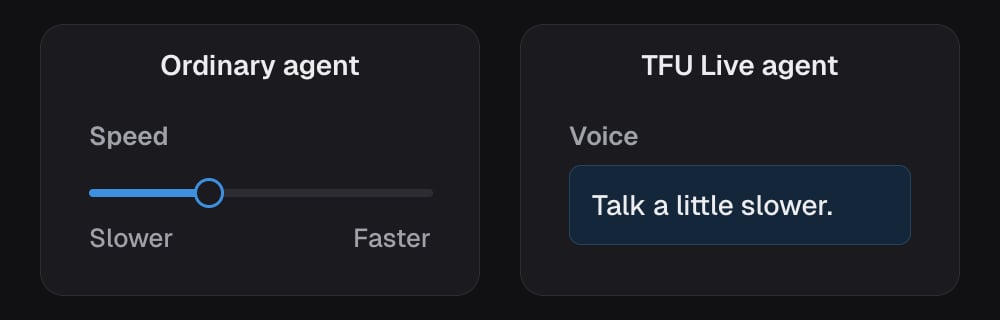
An ordinary agent is three machines in a row: one turns speech into text, one thinks, one turns text back into speech. Each has its own dials, which is why you get a speaking speed, an expressiveness setting, background sound, noise handling and a response delay. Three machines, three sets of controls. A TFU Live agent is one machine that hears and speaks directly. There is nothing in between to tune, so almost every control becomes a sentence instead of a number. You pick a voice. Everything else you write.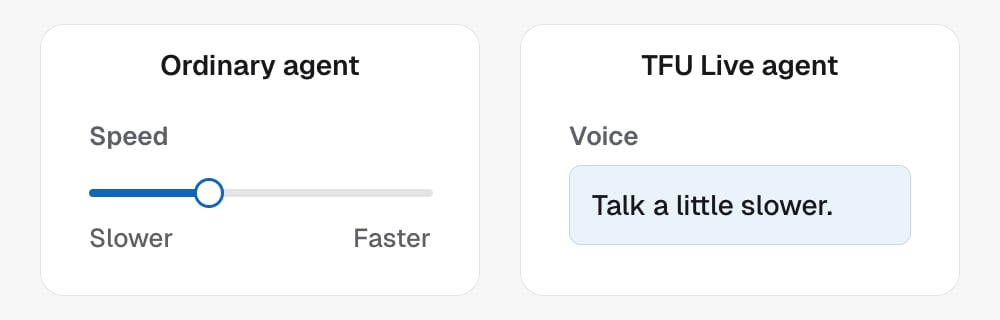
You talk to it, and it changes itself
The builder opens on one thing: talk to the agent. Tell it what to change and it changes itself, then tells you what it did. There is no prompt on the screen until you open Configure myself. Its Settings tab holds the shared campaign controls, including caller numbers and calling hours. Underneath, an agent is two pieces of writing:
Configure myself opens Brain, Power Dialer and Settings for when
you would rather edit than ask. Brain switches between Workflows,
Instructions (the brain’s writing) and Voice. Build with AI shows the changes
the assistant saves in the left column.
The campaign trigger is drawn above the agent on the brain’s canvas, because
starting a conversation is what feeds the brain. It is an ordinary campaign:
name, the tags that start a call, stop tags, caller number and calling hours.
Whether the agent may text is Chat, on Brain’s Channels card. The trigger editor exposes the supported ways to start a conversation.
Follow up attempts after the first call live in Power Dialer, the same
panel every other campaign uses. See Power Dialer.
The same character on every channel
The agent that takes the call is also the agent that answers the text afterwards. Both read the same brain, so a lead who rings on Tuesday and texts on Thursday is talking to one person with one set of facts. It answers texts only while Chat is on. A text that arrives during a call goes into that call instead of getting a text back. Only the voice is channel specific, because pauses and interruptions do not exist on a screen.Controls that do not exist here
Saving, versions and going live
Saving does not change the call happening right now. Each save is set up as the next authored version. An explicit draft remains unprovisioned until requested preparation or roleplay. Calls keep using the current version until the new one is verified. A change to the speaking voice or the voice writing alone has nothing to set up, so the next call uses it straight away. The header tells you where it is: Draft, Setting up… (or Setting up the new version…), Ready, or Setup blocked or Setup needs review when the last attempt needs a person. A blocked setup, or one that needs review, says so wherever you are and needs a look from Team Follow Up before the agent will take the change. Saved changes, on the left of Build with AI, is the record of every save: who made it (you, or the agent changing itself in the conversation), when, and exactly what moved. Each entry names the change in words and opens to show it: the lines added to and taken out of the Brain and the voice instructions, the old and new speaking voice, the capabilities equipped or removed, the settings that changed. Nothing here is the agent’s own account of what it did; it is what the save actually changed. Restore on an earlier entry brings that version’s text back as a new save, which sets up like any other. Nothing is rewritten: the history keeps growing, and the new entry says which revision it restored. The last fifty saves of an agent can be restored. A browser test refuses to start while a save is still setting up, and says so. Testing in that window would have you listening to the old version and concluding your change did nothing. Go live and Pause behave like any other campaign, and the Before going live list names anything missing.Testing it
- Roleplay. In the browser, spoken or typed. You play the lead and the agent plays itself, on its real script. Nothing real happens: no tags, no texts, no bookings, no call. Correct it as it goes and it changes itself.
- Test column. On the left of Configure myself, the same column every agent has: a browser call to the agent as it is saved, with nobody taking corrections while it runs. When it ends, say what was wrong and the agent takes it as a change. Actions are simulated.
- Real test call. An actual call, straight to the agent.
- Real test call on the campaign. The whole thing end to end, to a real contact in your CRM.
Who can change it
Agency owners (agency_admin) and Team Follow Up staff can create and edit
TFU Live agents. Owners use Build with AI or Configure myself within
their own sub-accounts, including voice roleplay and the normal test flows.
Project users cannot create agents. New agents receive a paused campaign;
going live still requires valid caller numbers, triggers and ready calling resources.
API integrations use the scoped public aggregate with agents:write; browser
access does not grant provider administration or cross-agency access.