
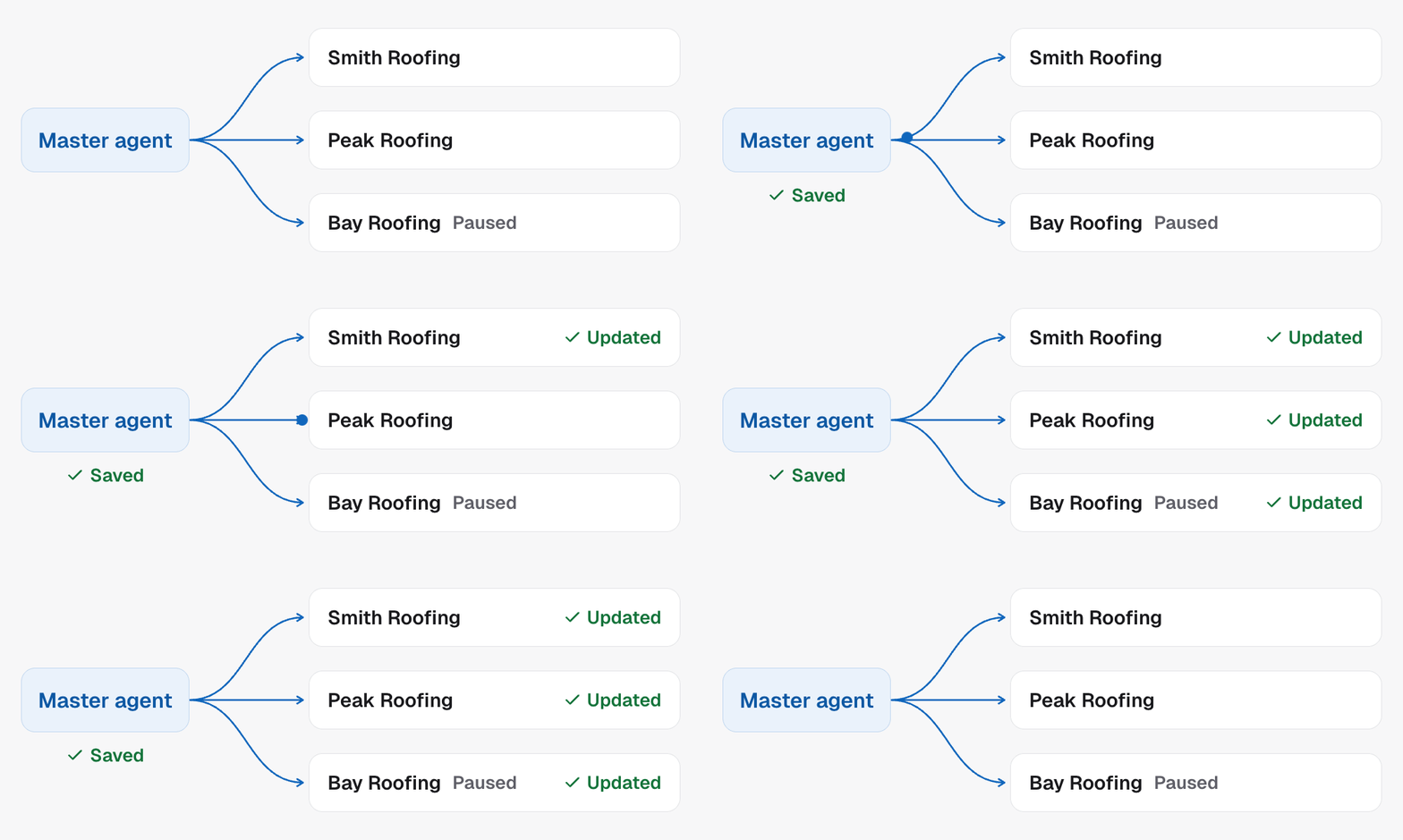
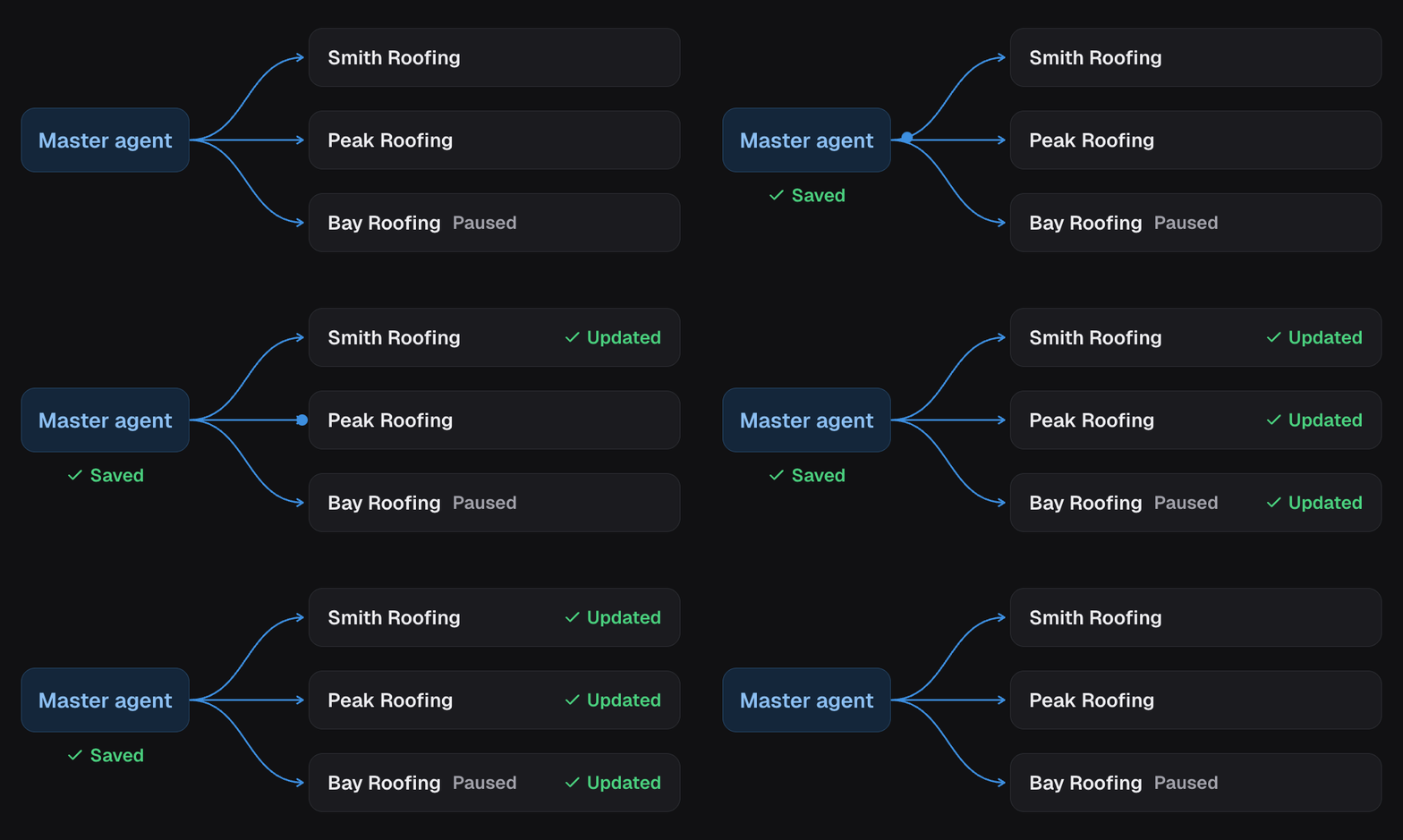
Parent and children
- The parent is the campaign you edit. It lives in one project and holds the agent, prompt, skills, outcomes and campaign settings.
- Each child is a campaign in another project, kept in step with the parent. Its leads, calls, contacts and phone numbers are its own.
- Campaign reads carry
masterCampaignEnabled, and amasterobject when it is on:enabled, themasterCampaignId, andprojects[]with one entry per linked project. - Each entry in
projects[]names the project (locationId,projectName), its campaign (campaignId,campaignName), itsroleofparentorchild, whether it isactive, itsdialing, itsfromNumbers, and its sync state:status,syncVersion,syncedVersionandlastError. On the parent’s entry,syncVersionis the latest version saved. A child has caught up when itssyncedVersionmatches that. A child’s own two fields always match each other, so compare against the parent.
Bindings
The prompt says “book into the sales calendar” and “move them to Qualified”. In each sub-account those are different ids. A binding is how a child resolves them.- When you link a sub-account, each asset the parent uses is looked up by name in that sub-account: the booking calendar, the human callback calendar, the transfer number, and the pipeline and stage a move-stage step points at.
- The match is stored on the child and preserved. Renaming the calendar in the parent later does not re-point the child.
- The child’s
bindingScanStatusreadsreadywhen every asset resolved.bindingScanMatchedCountandbindingScanMissingCountsay how many did and did not, andbindingScanErrorcarries the reason when the scan itself failed. A child cannot go live until the status isready. When something is missing, create the asset in that sub-account or pick one by hand, then rescan from the dashboard. Therescanobject onmasterreports the last rescan asrescanned,failedanderrors[].
What syncs and what does not
Reading results across children
Every child has its owncampaignId. To see the whole programme at once,
filter analytics and contacts by
masterCampaignId instead. It is mutually exclusive with campaignId, since
one is the sum of the others.
Boundaries
- Switch master agent mode on with
masterCampaignEnabled: trueon the campaign, when you create the agent or with Update campaign. Linking sub-accounts and rescanning bindings are dashboard operations today. The API does not yet expose them. - Switching it off is not yet available. Plan the parent before you link.
- A master campaign can be split tested. Run the
split from the parent; each child applies the same weights to its own leads.
Converting or adding a variant through a child returns
409. - Each child still needs its own project to be connected, its bindings ready and a caller ID before it can go live.
In the API
- Update campaign sets
masterCampaignEnabled - Get agent shows
masteron the campaign - Get analytics summary with
masterCampaignId - List contacts with
masterCampaignId - Clone agent is the one-off alternative: a copy that does not stay in step
- Every field above is defined in the Glossary
Related
- Clone an agent when you want a copy you can then change freely.
- Agencies, projects and sub-accounts explains the project model the children live in.