
What goes in it
You rarely open it. Telling the agent what to change is the usual way, and it edits itself. To read or write it by hand, open Configure myself and click the agent in the middle of the canvas: the whole thing opens full screen. On screen the brain’s writing is called Instructions, next to Workflows and Voice.- Who it is and who it works for.
- What it knows: services, hours, prices, policies, the answers to the questions you get asked every week.
- Why this conversation is happening and where it should go.
- How it treats people, including the difficult ones.
- What it must never do.
- Whether it admits to being an AI, and how.
The one test that sorts everything
There is exactly one question, and it decides every sentence:If the person were reading this instead of hearing it, would it still mean anything?If yes, it belongs in the brain. “Take frustration seriously in one line of your own.” “Never quote a price over the phone.” “Accept a clear no the first time.” All of those are just as true in a text message. If it only makes sense because there is audio, it belongs in the voice. “Stop talking the moment they cut in.” “A small listening sound while they run on.” Neither means anything on a screen.
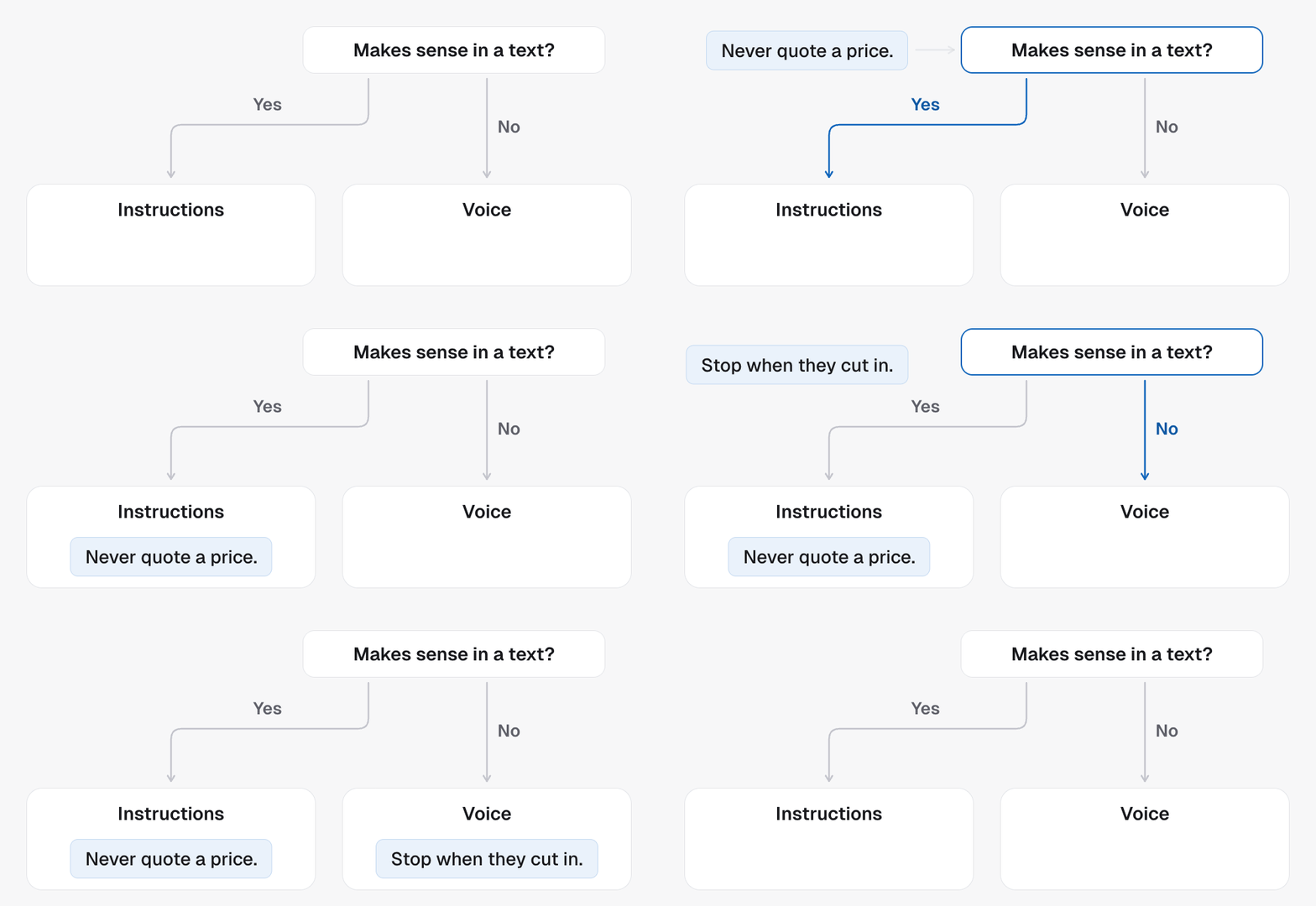
Brief it, do not script it
The same rule as any other agent, and it matters more here. You cannot write the conversation out, because you do not know what the other person will say. Brief it like a new hire: here is who you are, here is why you are calling, here is what to do if they say yes and what to do if they say no, here are the lines you never cross. One habit to break. Do not write the lines you want spoken. Give it an example sentence and you will hear that exact sentence on every call until it stops sounding like a person. Write the stance and let it find its own words.- Instead of “say: no problem at all, I completely understand”, write “take it seriously in one line of your own and move to the next useful step”.
- Instead of “say: great question”, write “do not compliment or rate what they said”.
The lead’s own details
{{first_name}}, {{email}}, the location’s custom fields and custom values
work here the way they do on an ordinary agent: the Variable button above
the text drops one in, and it is filled from the CRM contact on every call
and every text. A field the contact does not have comes out blank. Use them
for facts the agent should state, and leave how it greets someone to the
brief.