
Inspect a contact
Choose the project, use the filters to find the person, and open their contact to review their details and call history. A name or phone number can appear in several locations. Confirm the location and identity before changing a contact’s calling status.Do-not-call status
Setting do-not-call and clearing it are explicit contact actions. Clearing it does not itself enroll the person, trigger an immediate call or override the campaign’s other eligibility rules. To stop a scheduled campaign attempt, also inspect the relevant queue and lead state. Report the actual saved status. Do not infer that a contact is blocked or unblocked from a chat message alone.Internal contacts
Marking a contact internal changes how reporting treats that contact. It is a reporting control, not a substitute for do-not-call or removing someone from a campaign queue.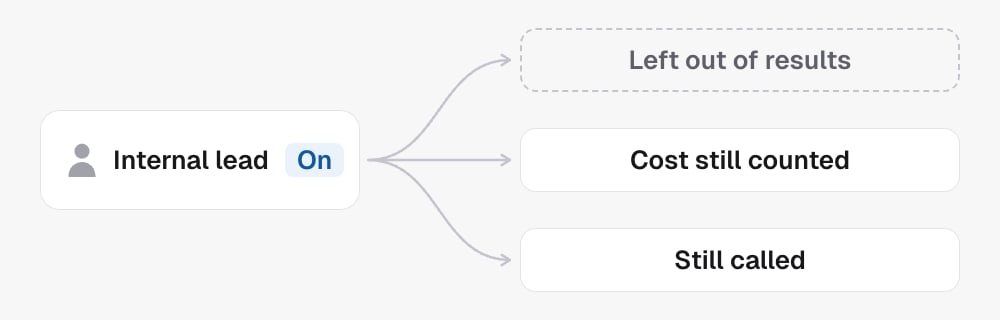
 Use it for the intended internal/test contact and check the
result before explaining any effect on totals.
See Calls for individual records and
Analytics for aggregate results.
Use it for the intended internal/test contact and check the
result before explaining any effect on totals.
See Calls for individual records and
Analytics for aggregate results.
In the API
- List contacts finds the person
- Get contact with
include=callsshows their calls - Update contact sets
doNotCallandisInternal