
- “Did it call John?” Look him up. Either there is a row or there is not.
- “Why didn’t the text go out?” Find the run and read its workflow status. A step that failed is marked Failed, and the run shows which step it was. A call that could not be placed at all reads Not placed.
- “How did my test go?” It appears here once the call is processed.
No row is also an answer
If there is no run for someone, the campaign never processed a call for them. That is a different problem from a call that went badly, and it points somewhere else entirely: they were probably never enrolled. Execution History has three lists. Look in this order: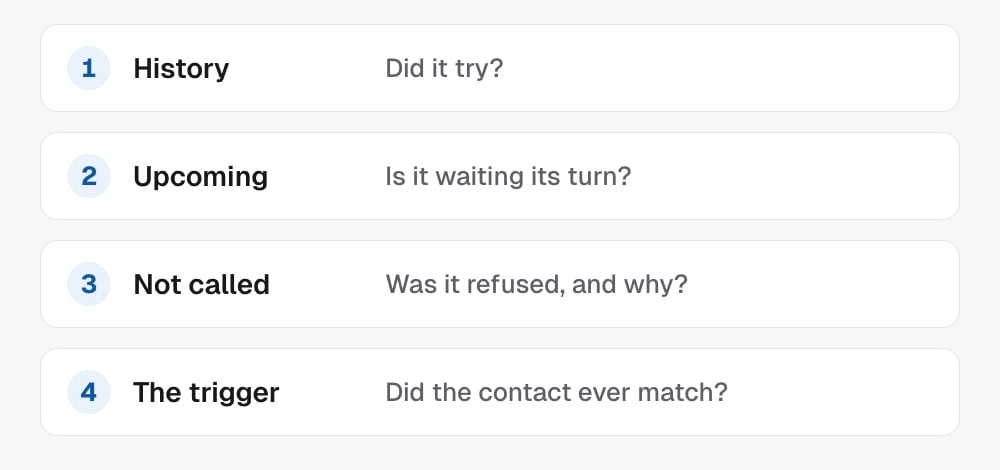
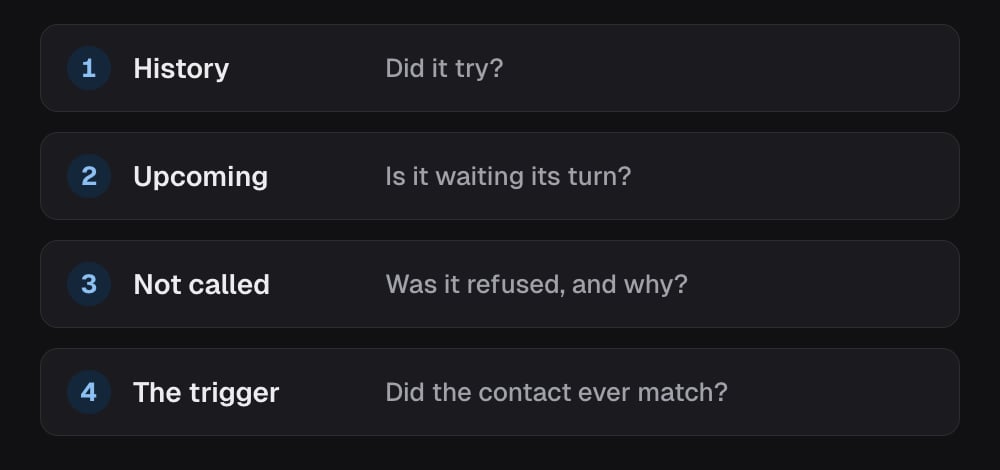
- History: a row means it tried, even if the call reads Not placed.
- Upcoming: they may be waiting for the calling window or a later step.
- Not called: dials the campaign refused, such as On standby, Already booked or Do not call. It covers the last 7 days, up to 50 contacts.
- The trigger: check they match it (Tag added, New contact, Pipeline stage or Custom field set, see Who gets called) and that the campaign is live. The pipeline shows anyone waiting there.
Going deeper on one call
Open one run in Execution History to see the path that call took through the campaign canvas, with a failed step in red. Reach for it when the list says a step failed and you want to see exactly where. Agency admins can open it; project users can’t.In the API
- List campaign runs is the same log, one row per processed call; a dial that has not happened yet appears with
phasescheduledand itsnextCallTime - Get call opens the transcript behind one row