
GET /api/dashboard/analytics returns, so a number you show a
client is a number you can explain.
The counts
inboundCalls and outboundCalls can sum to less than totalCalls, because
a call recorded without a direction counts in neither, and calls from a
sub-account that was archived before direction was recorded count only in
totalCalls. Read each against totalCalls rather than assuming the two add
up.The rates
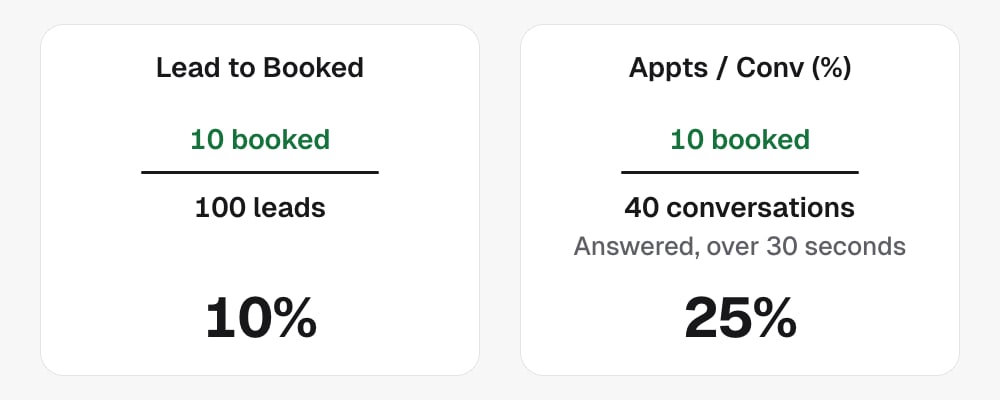
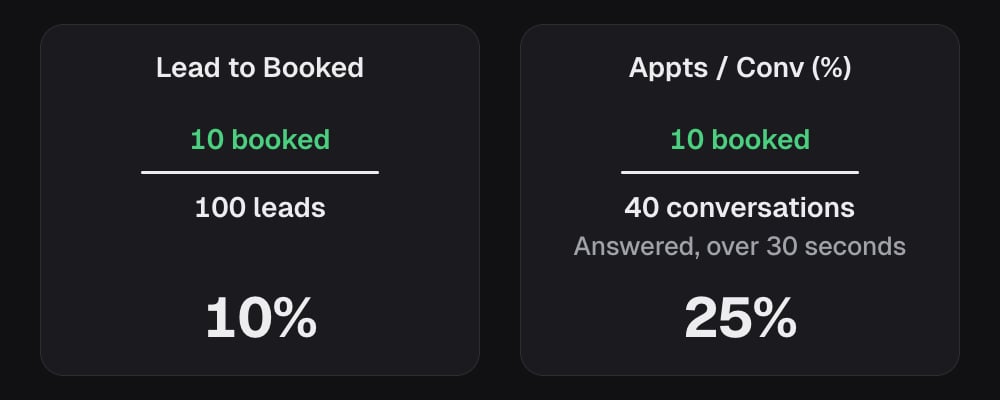
Two families, and the difference matters. Lead rates divide bytotalLeads. Conversion rates divide by conversations, where a
conversation is an answered call that lasted longer than 30 seconds. A
conversion rate tells you how the agent does once it is actually talking to
someone. A lead rate tells you how the whole campaign does per person dialled.
On the dashboard, bookingRate is Lead to Booked and
appointmentConversionRate is Appts / Conv (%).
All rates are percentages, to two decimal places.
The window
dateFromUTC and dateToUTC set the reporting window. Send a UTC timestamp
with Z or an offset, or a plain YYYY-MM-DD. A plain date covers that whole
day. A timestamp without a zone is rejected rather than read as server time.
The response carries window, the range actually used, as inclusive calendar
days. Days, not instants: the underlying rows record the local calendar day the
call happened, so a bound carrying a time is widened to cover its whole day.
Scoping the figures
Contacts you have marked as your own test leads
are excluded from every figure here.
Per-project comparisons
Two endpoints return one row per project you can see, so an agency can compare clients:GET /api/dashboard/booking-rate-by-project:project,leads,appointments,bookingRate.GET /api/dashboard/transfer-rate-by-project:project,leads,transfers,transferRate.
agency, projects and
excludeProjects for agency-level filtering.
By lead age
GET /api/dashboard/analytics/lead-age returns the same figures split by how
old each lead was when it reached the platform: the gap between the moment the
sub-account’s CRM created the lead and the moment it was sent here.
Each segment carries
leads, calls, pickups, conversations,
appointments, transfers, failedTransfers and attemptedTransfers, with
pickupRate, conversationRate, bookingRate, transferRate and
appointmentConversionRate on the same bases as above. totals adds the four
segments up, and matches the summary for the same window and scope.
A lead whose times cannot place it in exactly one segment goes to unknown,
never to the nearest one. unknownReasons counts why: noLeadRecord,
noCreationDate, noReceiptDate, createdAfterReceipt, or
straddlesBoundary, when the CRM sent only a date and that date could fall on
either side of a boundary.
It takes the same parameters as the summary. A disconnected project’s archived
totals are not included, because they carry no lead ages.
Boundaries
cached,queryTimeandgeneratedAtdescribe the server, not your data. Do not build on them.- Not every call carries campaign attribution, so a
campaignIdfilter cannot reach calls placed before that. - These endpoints need the
dashboard:readscope.
In the API
- Get analytics summary
- Get analytics by lead age
- Get booking rate by project
- Get transfer rate by project
- Every field above is defined in the Glossary
Related
- Call records are the rows these figures are built from.
- Run a split test uses
agentVariantIdto compare two versions of an agent.